AnyDB Button Cell
Button Cell Type
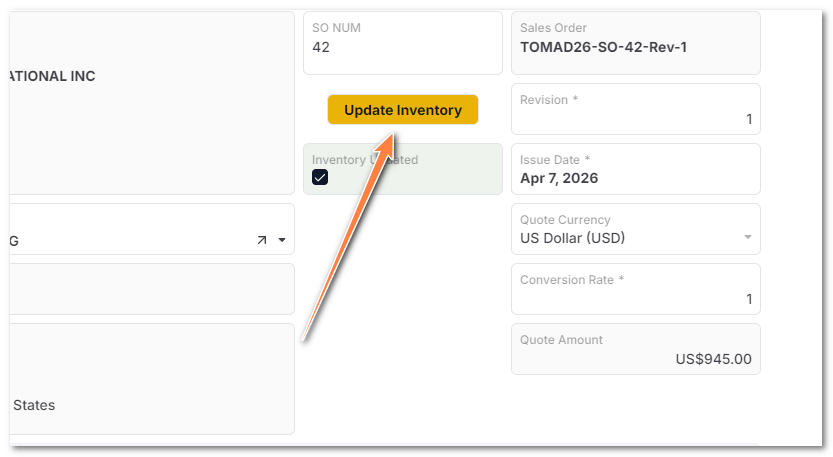
Button cells allow users to manually start an Automation from a record. When the button is clicked, AnyDB runs the configured automation workflow.
Use a Button cell when users need an explicit action inside the record, such as submitting a request, generating output, sending a notification, or starting an approval process.
Common Uses
- Start an approval workflow.
- Send a notification or email.
- Generate or update related records.
- Run a script-backed automation from a record.
- Trigger a manual business process without leaving the record.
Setup Notes
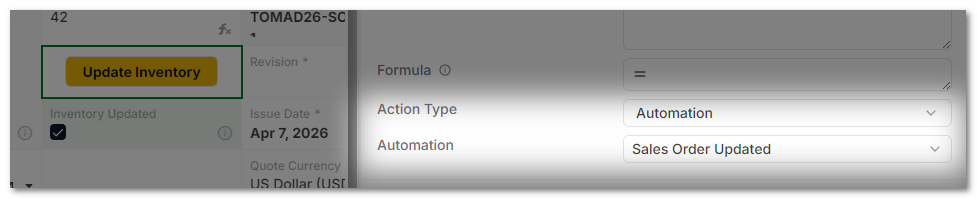
A Button cell should be connected to an Automation workflow that supports manual execution. The automation can use the current record as context for its actions.
User Behavior
Users click the button from the record. AnyDB then starts the configured automation and runs the workflow using the automation permissions and configuration.
tip
Use clear button labels so users understand what will happen before they click.